Retention Editing · July 20, 2026
Viral Video Editing Secrets for Founders and Business Owners on Social Media
Learn the viral video editing secrets founders and business owners use to grow on social media in 2026 — hooks, pacing, captions, and tools.
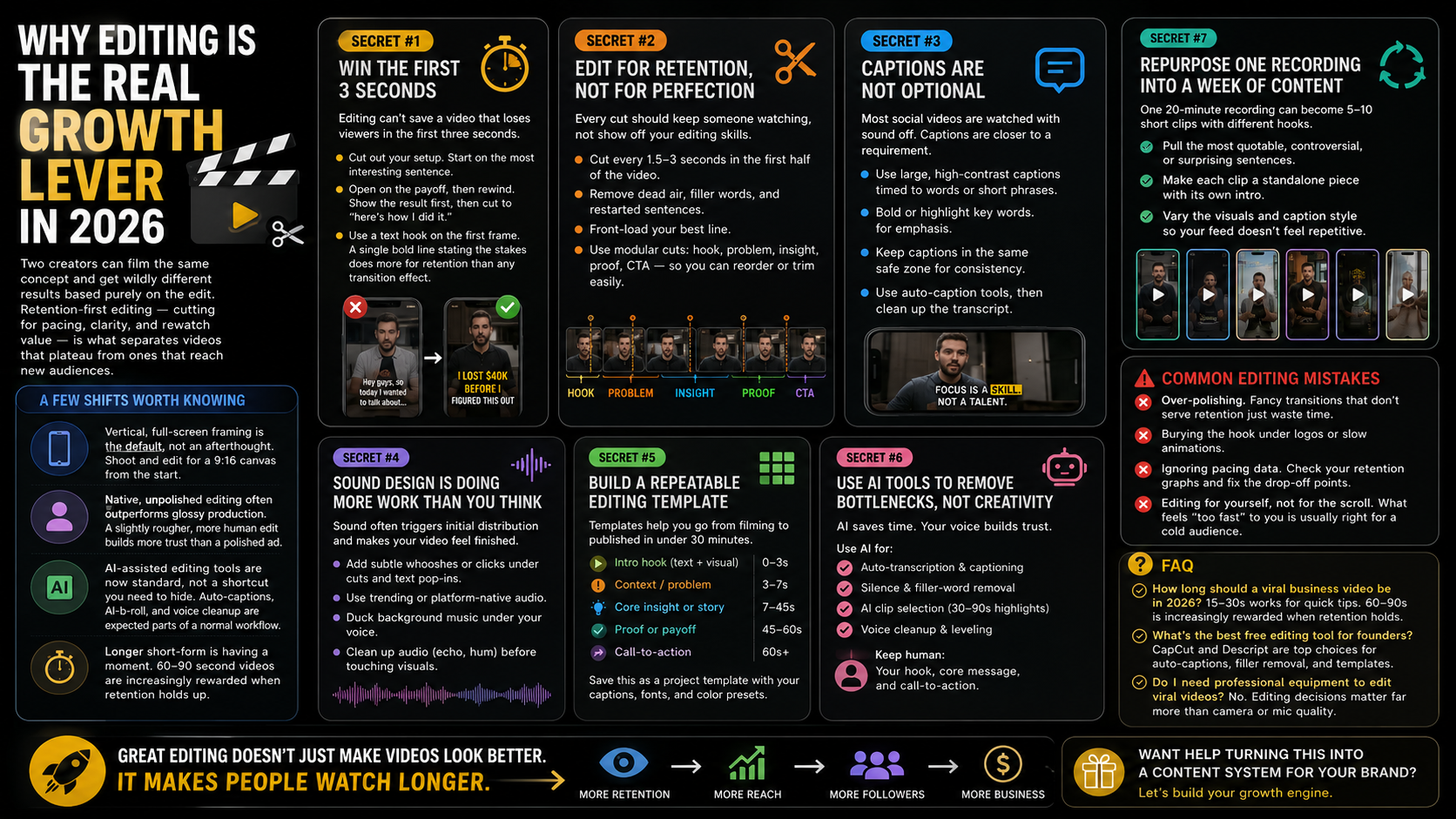
Why Editing Is the Real Growth Lever in 2026
Founders often assume the idea is what makes a video go viral. In reality, two creators can film the same concept and get wildly different results based purely on the edit. Retention-first editing — cutting for pacing, clarity, and rewatch value rather than polish — is now what separates videos that plateau at a few hundred views from ones that reach new audiences.
A few shifts worth knowing before you touch your timeline:
- Vertical, full-screen framing is the default, not an afterthought. Shoot and edit for a 9:16 canvas from the start.
- Native, unpolished editing often outperforms glossy production. Viewers are increasingly skeptical of anything that looks like a traditional ad, so a slightly rougher, more human edit can build more trust than a highly produced one.
- AI-assisted editing tools are now standard, not a shortcut you need to hide. Auto-captions, AI b-roll selection, and voice cleanup are expected parts of a normal workflow.
- Longer short-form is having a moment. Don’t force every idea into 15 seconds — some ideas genuinely need 60–90 seconds to land, and platforms are rewarding that when the retention holds up.
Secret #1: Win the First 3 Seconds Before You Edit Anything Else
Editing can’t save a video that loses viewers in the first three seconds. Before you cut a single clip, ask: does the opening frame create a question, a tension, or a visual surprise?
Practical edit-level tactics:
- Cut out your setup. Most founders start filming with a slow intro (“Hey guys, so today I wanted to talk about…”). Delete it. Start on the most interesting sentence you say.
- Open on the payoff, then rewind. Show the result or the reaction first, then cut to “here’s how I did it.” This is one of the simplest, most reliable retention tricks in short-form editing.
- Use a text hook layered over the first frame. A single bold line of on-screen text stating the stakes (“I lost $40k before I figured this out”) does more for retention than any transition effect.
Secret #2: Edit for Retention, Not for Perfection
Retention-first editing means every cut earns its place by keeping someone watching, not by demonstrating editing skill.
- Cut every 1.5–3 seconds in the first half of the video, even in a “talking head” clip. Small jump cuts, zoom-ins, or angle changes prevent the eye from settling and drifting to the next video.
- Remove dead air ruthlessly. Pauses, filler words, and restarted sentences that feel natural in conversation feel like friction on a 20-second clip.
- Front-load your best line. If you have one killer sentence in a five-minute raw recording, that’s your first line, not your closing line.
- Use modular cuts. Structure your edit as a series of self-contained “beats” (hook, problem, insight, proof, call-to-action) so you can reorder or trim sections without reshooting.
Secret #3: Captions Are Not Optional
The majority of social video is watched with sound off, especially in feeds. Burned-in captions aren’t a nice-to-have; they’re closer to a requirement.
- Use large, high-contrast captions timed word-by-word or in short phrase groups, not full sentences all at once.
- Bold or highlight the one or two words in each line that carry the meaning — this mimics how a skilled speaker would naturally emphasize their point.
- Keep captions positioned in the same safe zone across your videos so your content feels consistent and on-brand.
- Most editing apps (CapCut, Descript, Adobe Premiere’s auto-caption tool, and Opus Clip) can auto-generate captions with word-level timing — clean up the transcript for accuracy rather than typing captions manually.
Secret #4: Sound Design Is Doing More Work Than You Think
Founders tend to focus entirely on visuals and treat audio as an afterthought. On short-form platforms, sound is often what triggers the algorithm’s initial distribution and what makes a video feel finished.
- Layer a subtle whoosh or click sound under hard cuts and text pop-ins — it makes the edit feel intentional rather than choppy.
- Use trending or platform-native audio when it fits your message; the platform’s own recommendation systems often favor sounds already in circulation.
- Duck your background music under your voice automatically so dialogue never competes with the soundtrack.
- Clean up raw audio (room echo, background hum) before you touch visuals — a video with crisp audio and mediocre visuals will usually outperform the reverse.
Secret #5: Build a Repeatable Editing Template, Not a One-Off Edit
The founders who post consistently and grow steadily are rarely reinventing their edit from scratch each time. They build a template:
- Intro hook (text + visual, 0–3 seconds)
- Context/problem (3–4 short cuts)
- Core insight or story (the bulk of the video, modular beats)
- Proof or payoff (screenshot, result, reaction)
- Call-to-action (follow, comment prompt, or link mention)
Save this structure as a project template in your editing tool of choice, along with your caption style, brand fonts, and color presets. This is what allows founders to go from filming to a published video in under 30 minutes instead of several hours.
Secret #6: Use AI Editing Tools to Remove Bottlenecks, Not Creativity
AI tools have become a normal part of the founder video workflow in 2026, and being transparent about using them is generally fine with audiences what erodes trust is when the content itself feels synthetic or misleading.
Where AI genuinely saves time:
- Auto-transcription and captioning for accurate, word-timed captions in minutes.
- Silence and filler-word removal, cutting long raw footage down automatically.
- AI-assisted clip selection, surfacing your strongest 30–90 second moments from a longer recording (useful for repurposing podcasts, webinars, or talks).
- Voice cleanup and leveling, especially for founders filming with a phone mic in imperfect environments.
Where it’s worth staying hands-on, your hook, your core message, and your call-to-action. These are the moments viewers connect with a real person, and over-automating them tends to flatten your results.
Secret #7: Repurpose One Recording Into a Week of Content
Editing efficiently is also a growth strategy. A single 20-minute recording a podcast episode, a customer call, a talk can be cut into 5–10 short clips, each edited around a different hook and insight, and distributed across the week.
- Pull the most quotable, controversial, or surprising sentences first; each becomes its own hook.
- Edit each clip as a standalone piece with its own intro, not just a trimmed segment viewers shouldn’t feel like they’re missing context.
- Vary the visual treatment slightly between clips (different caption styling, different opening shot) so your feed doesn’t feel repetitive.
Common Editing Mistakes Founders Make
- Over-polishing. Motion graphics and transitions that don’t serve retention just add editing time without improving performance.
- Burying the hook under a logo animation or slow fade-in.
- Ignoring pacing data. Most platforms show you audience retention graphs use them. If viewers consistently drop at the same timestamp, that’s the cut to fix next time.
- Editing for yourself instead of for the scroll. What feels “too fast” or “too choppy” to you as the creator is usually closer to the right pace for a cold audience scrolling a feed.
FAQ
How long should a viral business video be in 2026? There’s no fixed rule 15–30 seconds still performs well for quick tips, while 60–90 second videos are increasingly rewarded when the story or insight genuinely needs the extra time and retention holds up throughout.
What’s the best free video editing tool for founders? CapCut and Descript are widely used for their auto-captioning, filler-word removal, and templated editing features, and both have free tiers suitable for getting started.
Do I need professional equipment to edit viral videos? No. Most of what makes an edit effective — hook placement, pacing, captions, sound design — has little to do with camera or microphone quality and everything to do with editing decisions.
Want help turning this into a content system for your brand? visit :- www.quidedge.com